Camera Control.
Color Mastery.
Professional camera control and real-time color shading for broadcast and cine-style live production. Unlocking creative live grading.
Camera Models via RCP & RIO
Control Components
Color Spaces
LUT Output
Capabilities
Everything you need. Nothing you don't.
Multi-Camera Control
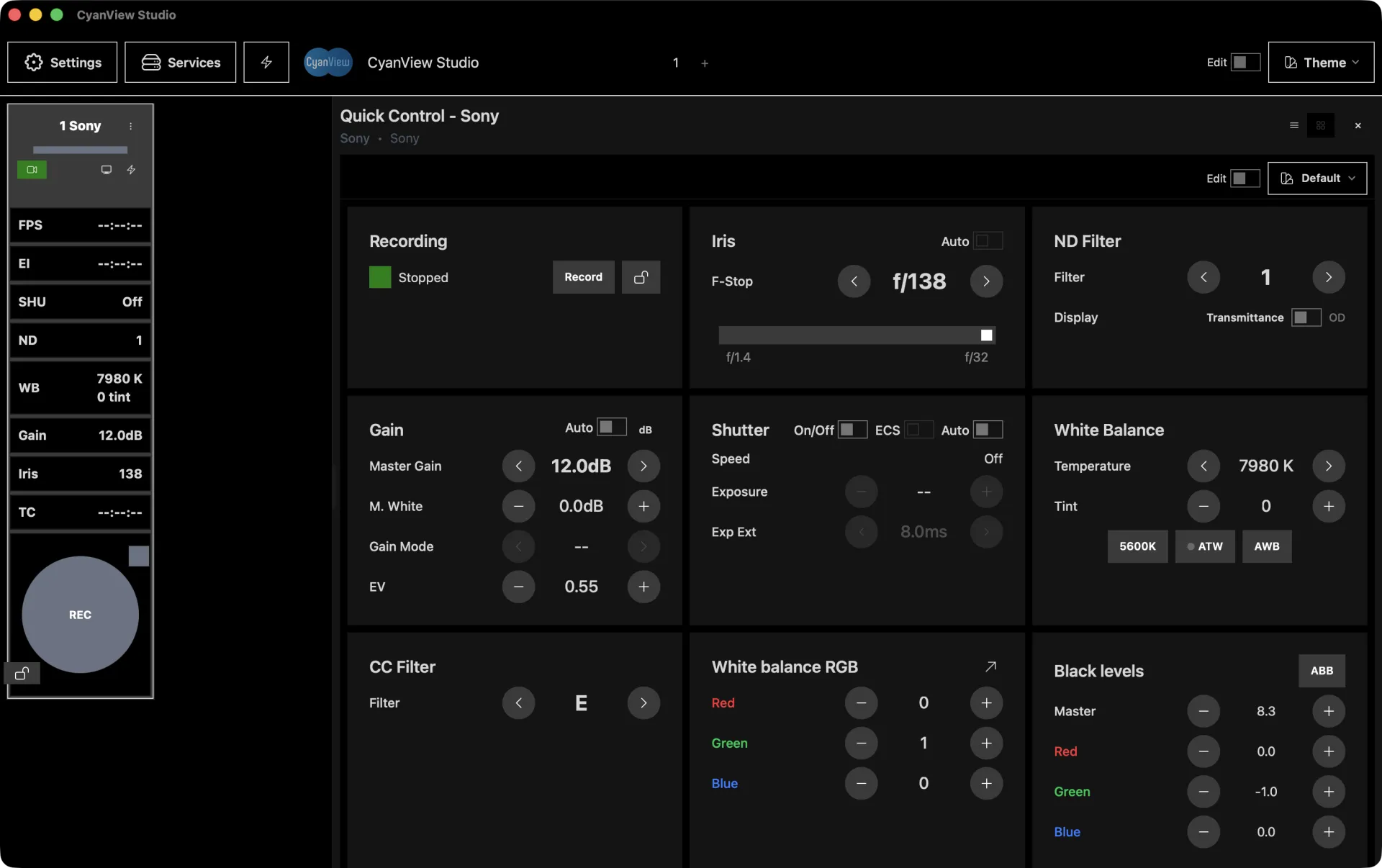
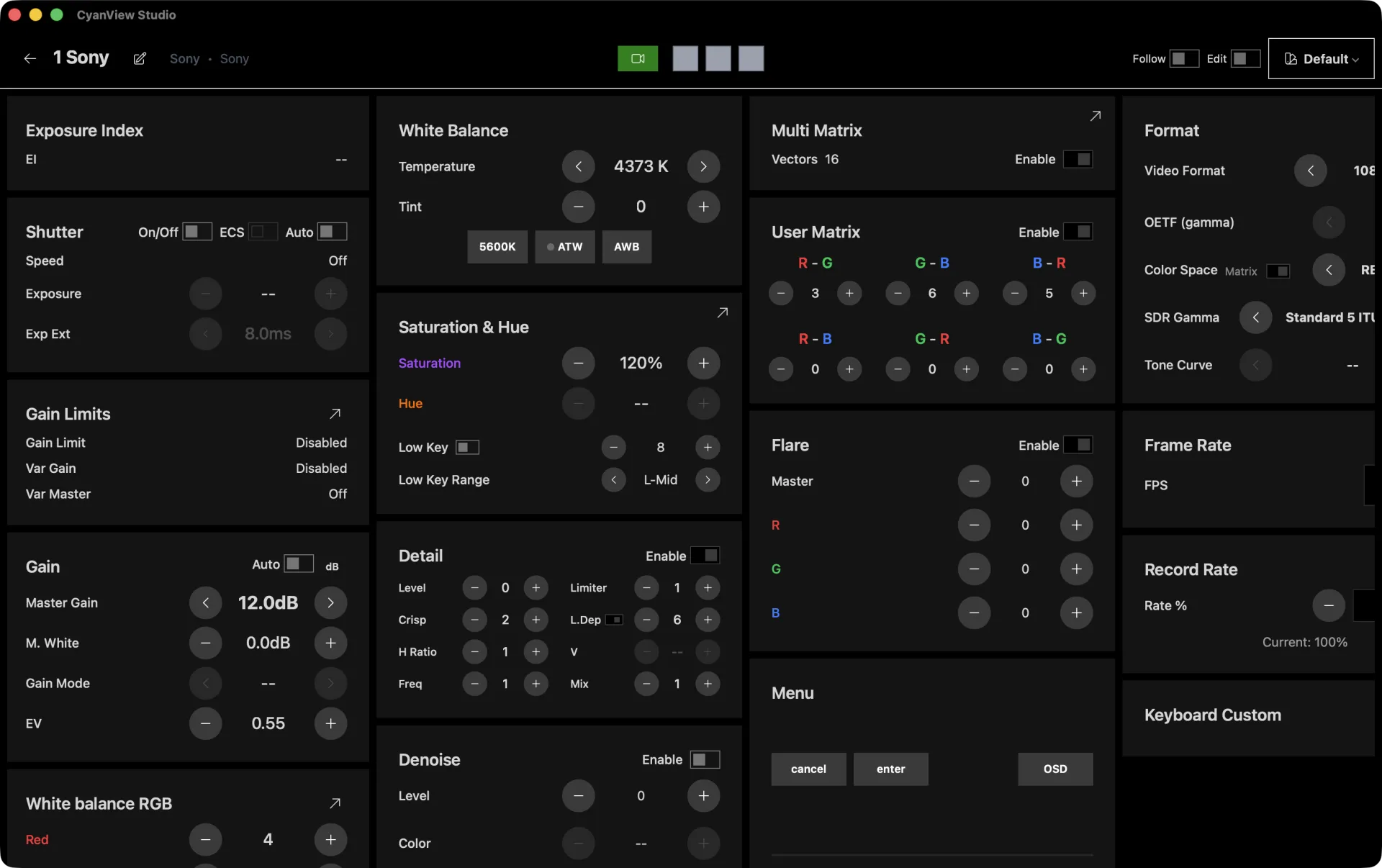
Acts as a centralized controller for multiple CyanView RCP and RIO devices, giving you a unified dashboard of all camera values from a single desktop application. Organize cameras into scenes, build custom grid or quick-control layouts, and reach controls not available on the RCP itself, including CDL color wheels and macro pads.
Connect On Your Terms
Control your rig however the production is wired. Discover RIO units on your network and drive them straight from the app, with no RCP panel in the chain. Pair with cameras off-site through Cyanview's REMI relay, or host a REMI server locally so RCP and RIO clients connect over your own LAN with no cloud round-trip.
No RCP panel in the chain
Off-site camera control
No cloud round-trip
Color Shading Studio
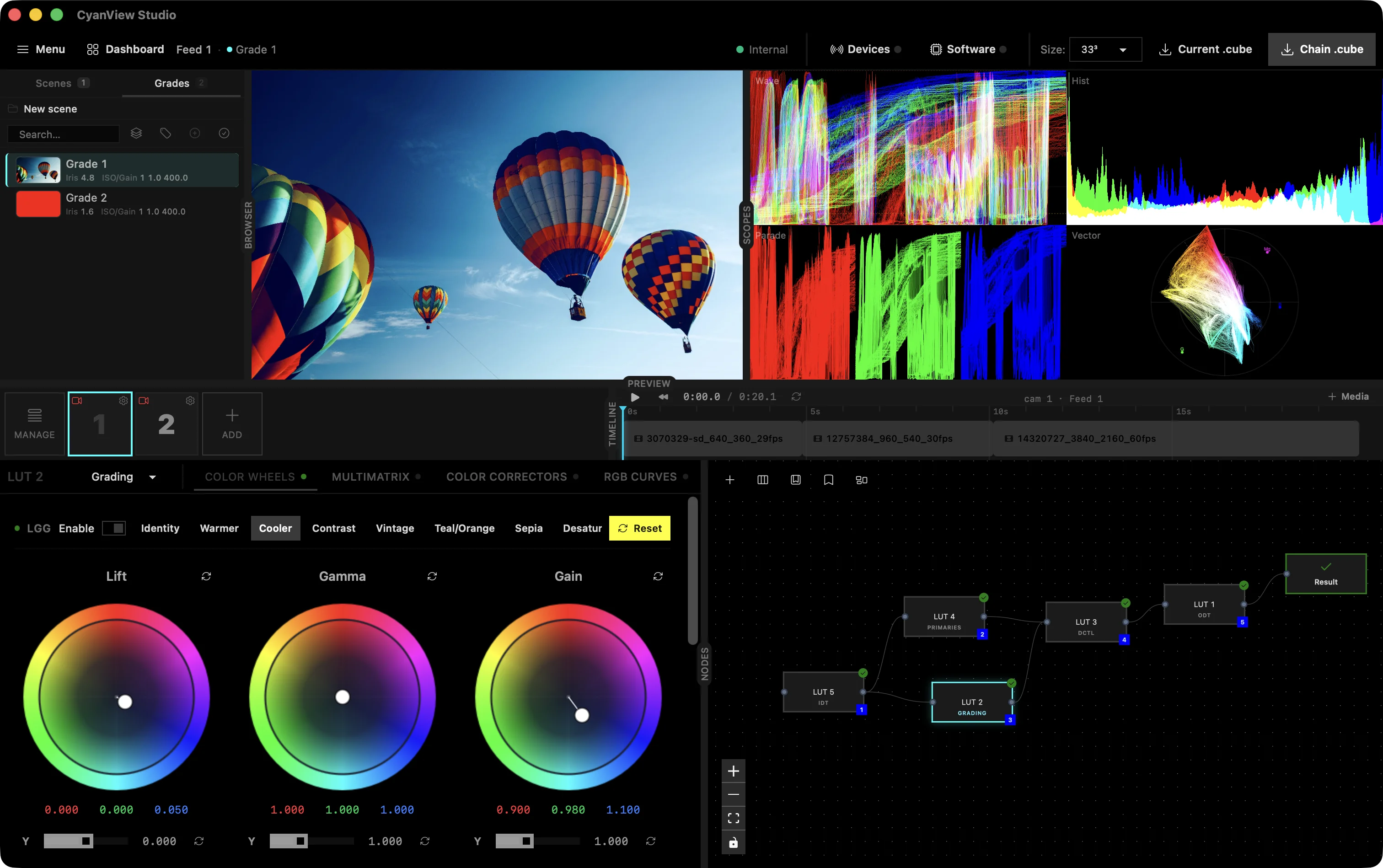
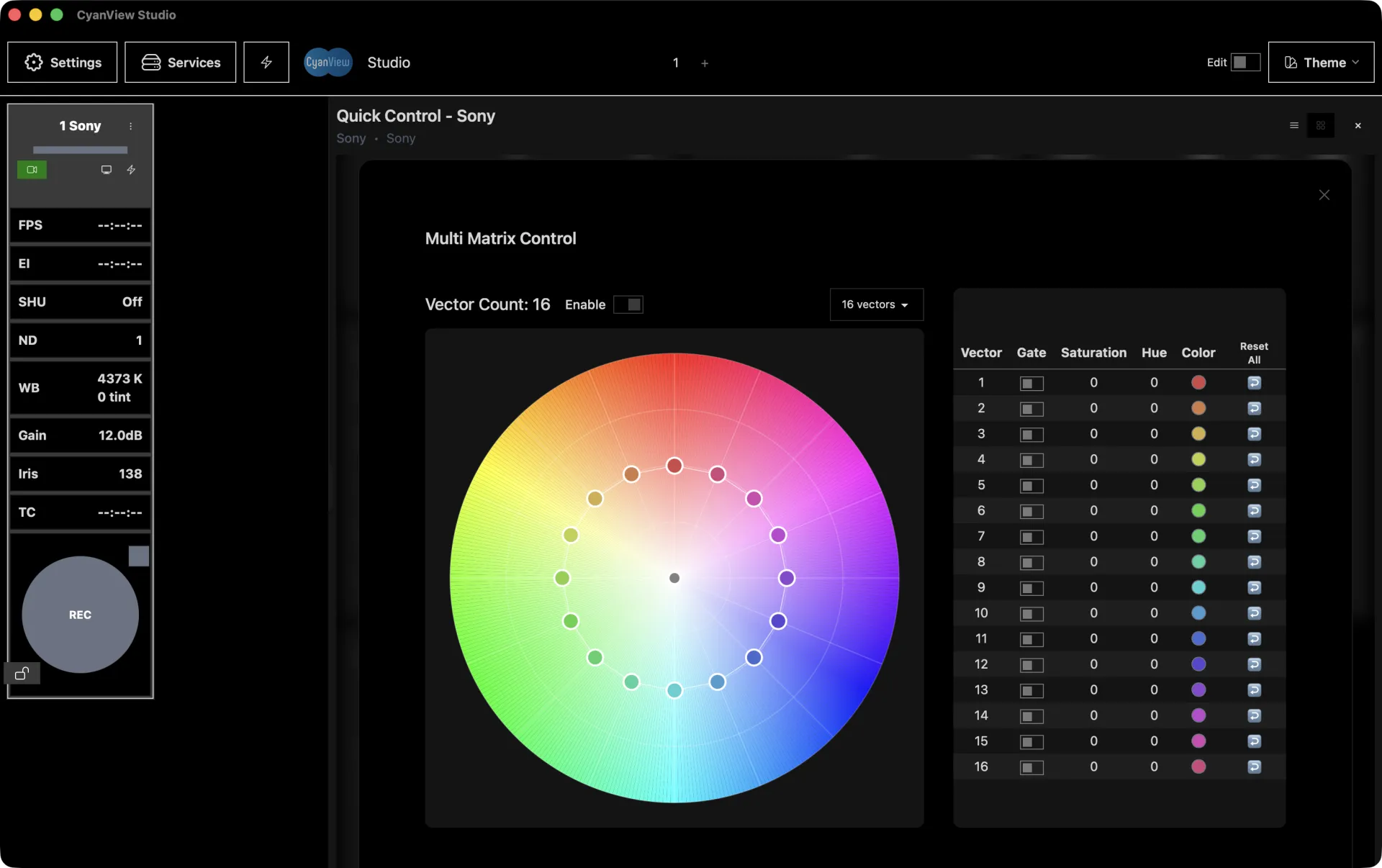
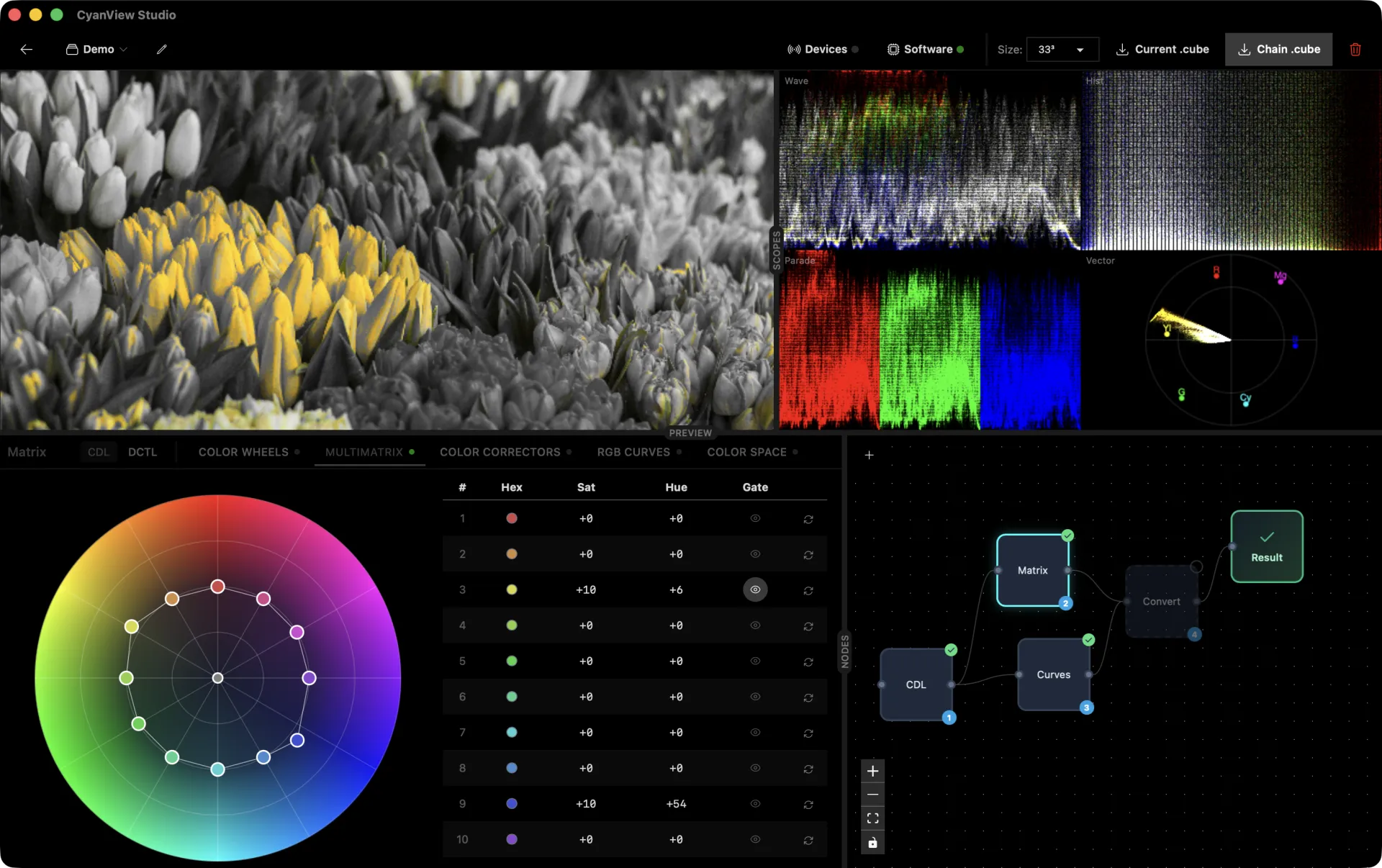
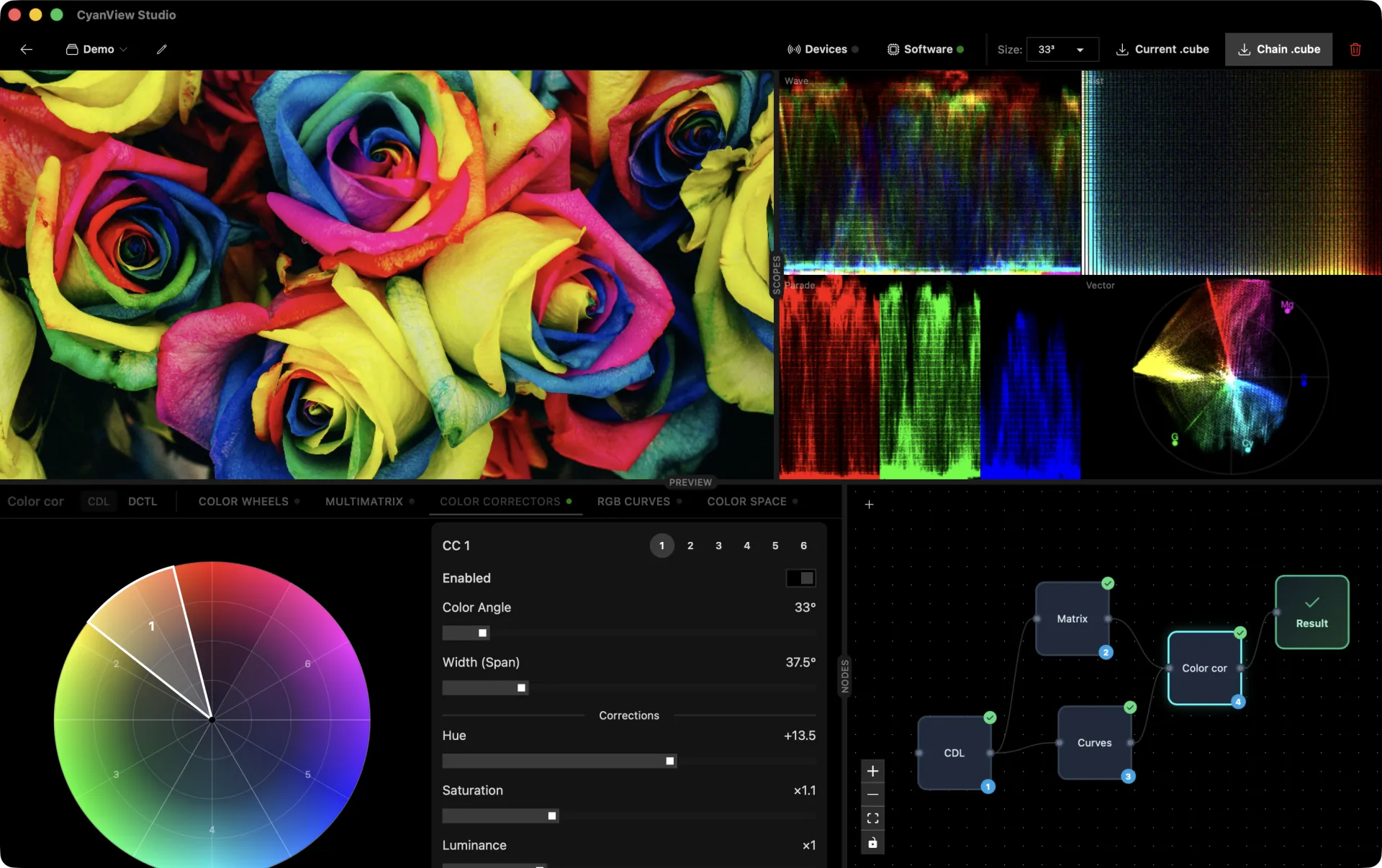
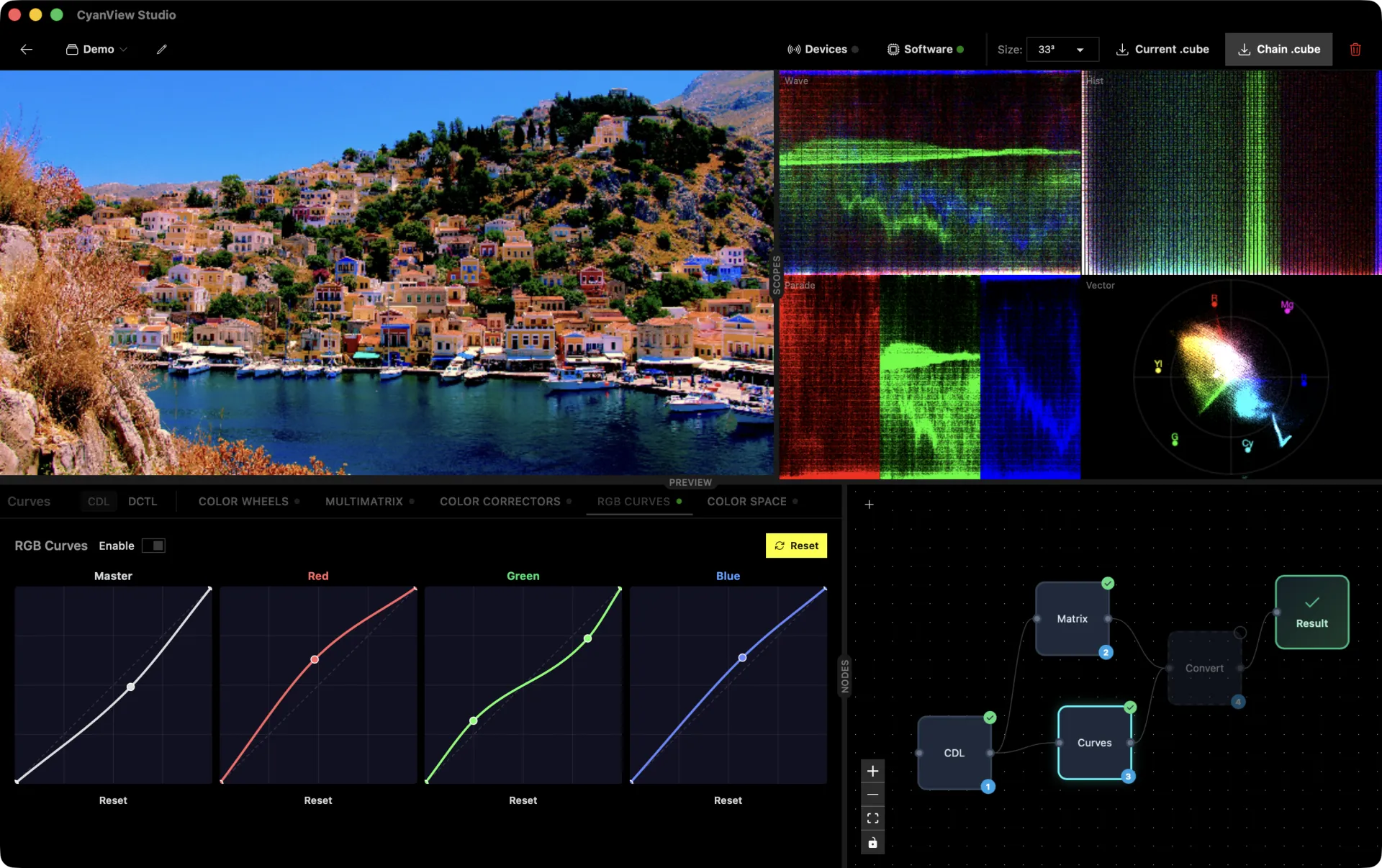
Two grading models in one workspace: ASC-CDL color wheels with Slope/Offset/Power control, and broadcast-style Primaries with Black/Gamma/Gain wheels for camera-native shading. Multimatrix hue correction, 6 independent color correctors, monotone cubic Hermite RGB curves, and GPU-accelerated scopes for precise signal monitoring.
Two Grading Models
ASC-CDL
Slope · Offset · Power
Primaries
Black · Gamma · Gain
GPU Scopes
Multimatrix
hue/sat sectors
Color Correctors
independent, hue-keyed
RGB Curves
monotone cubic Hermite
3D LUT Generation
Generate 17³ to 65³ 3D LUTs in real-time. Chain color transforms in the visual node graph editor, auto-arrange the layout, save reusable nodes and groups to your library, and sync global nodes across every grade in the project. Export standard .cube files or stream directly to color correction hardware.
Push 3D LUTs to 30+ color boxes at 60fps with our fast fanout technology.
DCTL Support
Import DaVinci Color Transform Language scripts and compile them into standard 3D LUTs. Apply the result as a processing node within the visual node graph, preview in real-time, and export as a .cube file or stream directly to hardware.
NDI & External Scopes
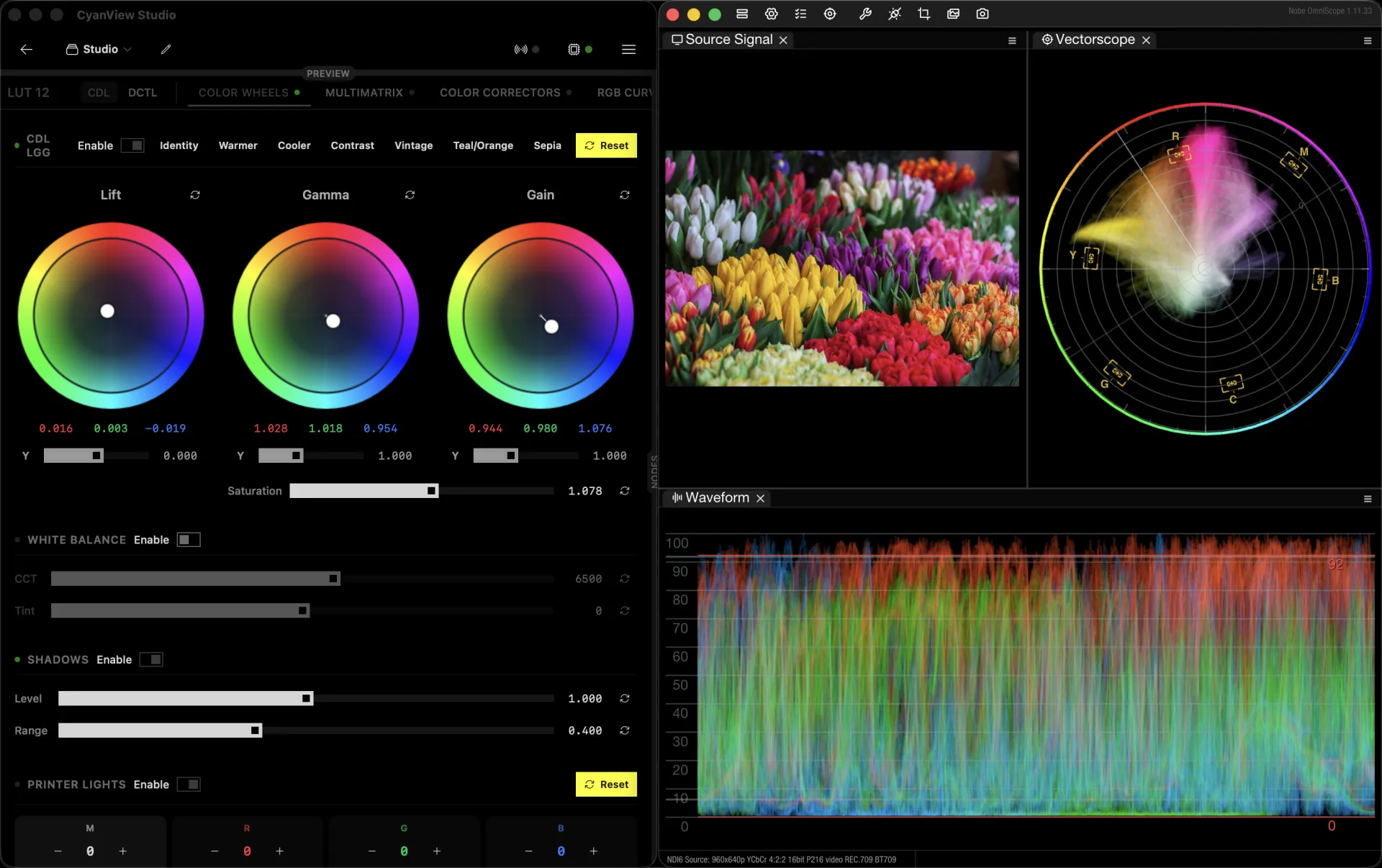
Stream live changes over NDI for low-latency monitoring across your network. Integrates with NobeOmniScope to deliver professional waveform, vectorscope, histogram, and parade analysis directly from the NDI signal - no additional hardware required. Also supports ScopeBox by Hedge for advanced signal analysis.

Live Video Processing
Run OpenFX plugin chains on live SDI - in real time, on the GPU, inside a hard per-frame budget. Process every feed with the engine built into Studio, or scale out with headless FXVP nodes: dedicated Mac minis that take SDI in, render your OFX chain, and play SDI out. Nodes boot straight into their last pipeline after a power cycle and are controlled entirely from Studio over the network - no monitor, no keyboard, no trip to the machine room.
Compare
Three editions. Each includes the one before.
Dashboard is camera control. Studio adds shading and monitoring on top. LiveLab adds live video processing and the post-production workflow on top of that. Headless FXVP nodes are a separate add-on.
| Feature |
Dashboard
|
Studio
|
LiveLab
|
|---|---|---|---|
| Dashboard · control | |||
|
Camera dashboard
Connect multiple RCPs and RIOs, monitor and control camera values in real time
|
|||
|
Custom dashboards & control pages
Build the panel your show needs
|
|||
|
Camera groups
Dynamic groups for fast control
|
|||
|
Macros & macro pad
Customisable action buttons
|
|||
|
Direct CyanView REMI connection
Control RIOs and CyanCamera apps
|
|||
|
Internet gateway for RCPs
Share your laptop's connection with RCPs on a closed LAN
|
|||
| Studio · shading & monitoring | |||
|
Live shading through LUT boxes
Dynamic 3D LUTs pushed to AJA, VP4, BoxIO and the CyanCamera app (openGear soon)
|
— | ||
|
Full shading toolset
Primaries, curves, colour warper, printer lights, CDL
|
— | ||
|
Camera value snapshots
Capture a setup, recall it at the next venue
|
— | ||
|
3D LUT import & export
17/33/65 .cube and .3dl - looks travel between post and the truck
|
— | ||
|
Built-in scopes & NDI
Waveform, RGB parade, vectorscope, histogram - plus NDI out to external scopes
|
— | ||
|
Detachable scopes & fullscreen preview
For a second monitor
|
— | ||
|
DeckLink capture & SDI output
|
— | ||
| LiveLab · live processing & post workflow | |||
|
DCTL support
Resolve DCTLs compiled straight into the look, parameters adjustable live
|
— | — | |
|
Reference charts & clip playback
Pre-show look building
|
— | — | |
|
DaVinci Resolve live LUT push & receive
|
— | — | |
|
OpenFX plugin host
Run your OFX plugins - denoise, glow, film emulation - on GPU or CPU
|
— | — | |
|
Live GPU effects processing
Real-time OpenFX on the video itself, beyond what a LUT can express
|
— | — | |
|
Live plugin chains
Chain, reorder and tweak plugin parameters during the show
|
— | — | |
| Add-on · headless processing | |||
|
FXVP headless nodes
Offload processing to dedicated cy-fxvp servers controlled from the same app - licensed per node
|
— | add-on | add-on |
FXVP headless nodes are licensed per node as an add-on to Studio or LiveLab. The processing engine built into the app on your own machine is included.
Early Access
Get early access.
Request early access to CyanView Studio. Professional camera control and color shading, reimagined.
Questions? Join the conversation on our community forum